
Entire Spain category is ready, see http://www.islandwalking.com/piwigo/index.php?/category/9.
Pictures from Portugal
Slowly but surely the photo album will be filled with pictures again. Sorry, there will be no actually new pictures in there for a while now. Since the latest addition was for Portugal I have uploaded the rest I have too. If you have not seen them before, take a look.
See http://www.islandwalking.com/piwigo/index.php?/category/2.
Categories: Uncategorized
Comments Off on Pictures from Portugal
Piwigo part 3
As promised I will walk through the technical details on installing Piwigo. Actually surprisingly little technical insight is really needed, or at least would have been needed if just some small details were not left out of the installation guides for these products. These are the steps:
1. Install Apache (or another web server, if necessary)
My iBook had Apache 1.3 already running. Not new, but good enough, skip to next step.
2. Install PHP.
My iBook is running MacOS X 10.4, and an installation of PHP 5.2.4 can be found at http://www.entropy.ch/software/macosx/php/.
Goes like a breeze this. Checking that the installation went well: http://mrwalker.redirectme.net/~haha/phpinfo.php.
3. Install MySQL.
Installation of MySQL 5.1 for MacOS X 10.4 can be found at http://dev.mysql.com/downloads/mysql/5.1.html. But here is the snag: The download link for PowerPC has been unexplainably removed! I wasted hours here, not realizing I had installed an Intel-only build. The installation package just silently does its thing saying nothing. The “real” downloads for my system could be found hidden away at http://downloads.mysql.com/archives.php?p=mysql-5.1&v=5.1.40.
Now everything installed (again…) and even worked!
After installing MySQL use a terminal window to check it:
/usr/local/mysql/bin/mysql test
Now (at least) set a password on the MySQL master account:
/usr/local/mysql/bin/mysqladmin -u root password your_new_password
4. Install some MySQL GUI to create and maintain your databases. Use this to create a database for use with Piwigo, you can call it anything you like. I can recommend Sequel Pro which worked nicely for me.
5. Install Piwigo.
Piwigo has a NetInstall which is easy to use. Except that it does not actually tell you that you do need to CREATE a database first. It does NOT do this automatically for you. Well, we did this in step 4 above. You can find the NetInstall at http://piwigo.org/basics/installation_netinstall.
6. Start using Piwigo. You would probably want to download pLoader to load your database with images. Find your pLoader at http://piwigo.org/forum/viewtopic.php?id=15846.
Categories: Uncategorized
Comments Off on Piwigo part 3
Piwigo part 2
Yes, it went well (with one snag, more on the technical details later…), the result can be seen “live” at http://mrwalker.redirectme.net/~haha/piwigo/. However, the absolute easiest way to publish your pictures from your own computer must be with Opera Unite, but there is a bug currently that does not rotate the pictures according to the EXIF information. You can see that on http://home.mrwalker.operaunite.com/photo_sharing/
I am serving this now partly from an old iBook G4 (webserver and Piwigo photo album), partly from my new laptop, a MacBook Pro (running Opera Unite).
The old iBook will be left on and should be available at most times, mirroring my “real” pages:
Web:http://www.islandwalking.com
Mirror:http://mrwalker.redirectme.net/~haha/BlueHost/Islandwalking/
Photos:http://www.islandwalking.com/piwigo/
Mirror:http://mrwalker.redirectme.net/~haha/piwigo/
The MacBook running Unite will only be available when I am using it, but I have activated the same basic services there as an example:
Web:http://home.mrwalker.operaunite.com/webserver/
Photos:http://home.mrwalker.operaunite.com/photo_sharing/
Categories: Uncategorized
Comments Off on Piwigo part 2
Piwigo
Looks like the new photo album thing works pretty well. You might wonder (at least I do) if it is difficult to host this Piwigo software on your own computer? I mean instead of relying on a web hotel that offers it. The answer will be given later. For now, let us see what BlueHost (my host) is using to support such solutions. It should come as no big surprise that what is needed is the web server itself (of course), server side scripting (PHP in this case) and a database system (the popular MySQL). This is what they are running:
That’s it. All free software, as Piwigo is. Promising…
Categories: Uncategorized
Comments Off on Piwigo
Walking in The Algarve
Despite rumors of hot beer and lousy food in fact Algarve did turn out very well. The Sunflower guide was of the best I have used and the fairly easy strolls you can do around Lagos turned into this year’s first “Walk & Eat” experience. A small report with some restaurant tips, bus timetables and general info about Lagos and the walks can be found at http://www.islandwalking.com/lagos.html.
Categories: Uncategorized
Comments Off on Walking in The Algarve
New Photo Album
The new photo album is at http://www.islandwalking.com/piwigo/. Most photo gallery software seem to have more bugs than features, so this is another fresh start. But at least there are now finally photos from The Algarve. I have had a look before, but now that Piwigo have released pLoader for MacOS X there is a chance I will actually start using it… Let us see how it goes.
Note 1: I uploaded everything “as is”. Some are failures or experiments. Some could be OK after decent cropping.
Note 2: These are the first attempts using my new Canon PowerShot SX200 IS.
Categories: Uncategorized
Comments Off on New Photo Album
Sunflower Walk & Eat
This newer series by Sunflower Books concentrates on shorter walks and strolls. The tips for good eating have so far been a bit different from mine…
Walk & Eat Kefalonia:

Walk & Eat Rhodes:

Categories: Uncategorized
Comments Off on Sunflower Walk & Eat
Walking Guides – Rother Walking Guides
German Rother is also translated into English. Small and handy, but again, for Greece it is only Crete that is covered (one for east, one for west):


More in the Book Shop.
Categories: Uncategorized
Comments Off on Walking Guides – Rother Walking Guides
Walking Guides – Cicerone Guides
Some like these guides. They have very few for Greece and to me they look like something for “experts”. Not for me then, I am just a happy amateur:
Crete – The White Mountains
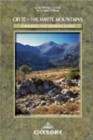
Western Crete – Walking in the Kissamos

See more in the Book Shop.
Categories: Uncategorized
Comments Off on Walking Guides – Cicerone Guides